

Salt Lake City International Airport (SLC) offers free wireless internet service to passengers throughout the airport. Learn how to connect to the SLC Airport Wi-Fi network to get connected during your stay.
How to connect to SLC Airport Wi-Fi?
- Go to Settings > Wi-Fi.
- Join the “SLCAirport.wifi” Wi-Fi network.
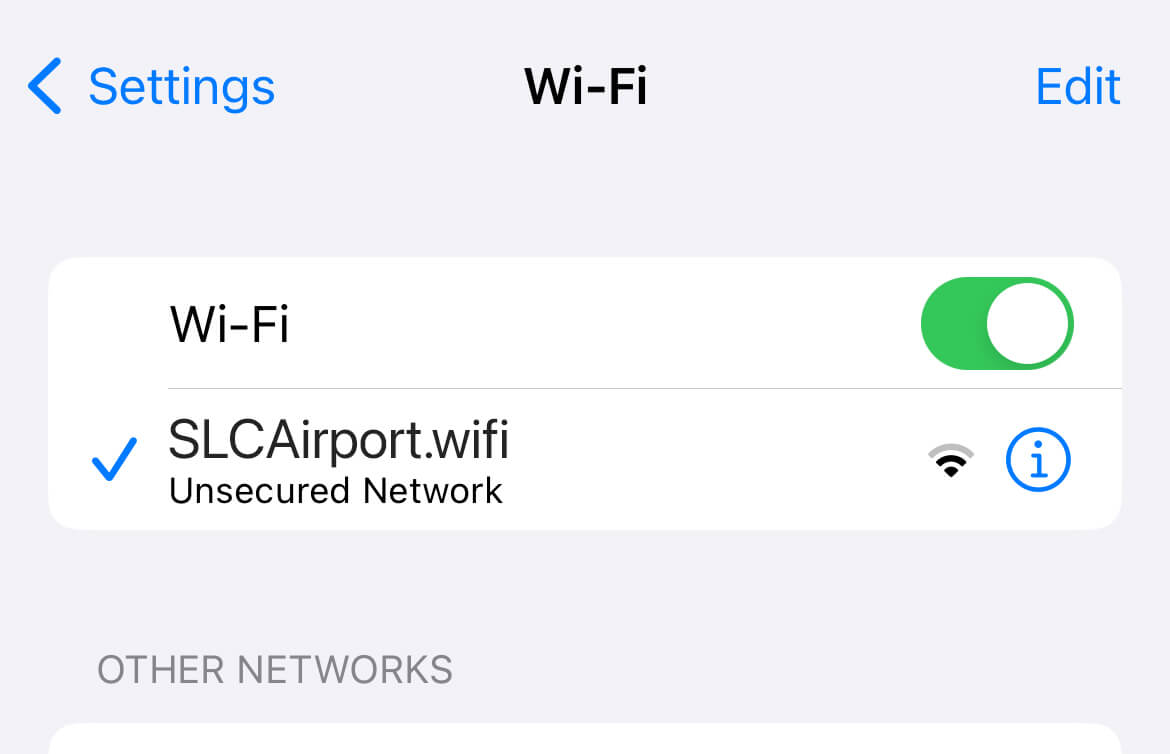
- A pop-up will open automatically. Click “YES” to accept the terms and proceed.
- Click “CONNECT” and you will be redirected to the slcairport.com homepage.
- You will now be connected to the SLC Airport Wi-Fi network.
Frequently Asked Questions
The Wi-Fi access page is not showing up
- If you have previously connected to the “SLCAirport.wifi” Wi-Fi network, go to Wi-Fi settings and select Forget this network. If you have auto-join/auto-connect feature enabled, turn it off.
- Now turn Wi-Fi off and turn it back on and connect to the SLCAirport.wifi network. The Wi-Fi pop up should prompt automatically. If not, open a web browser and type in any non-https URL such as http://8.8.8.8 or http://captive.apple.com and you will be redirected to the Wi-Fi access page.
How fast is the SLC Airport Wi-Fi?
SLC Airport has a median mobile download speed of 311.51 Mbps. You can stream 4K movies, conduct conference video calls and download large files at this speed.
Test your Internet speed to determine how fast is your internet.
About Salt Lake City International Airport
SLC Airport servers over 28 million passengers annually and is the 4th largest hub for Delta Air Lines. It is located about 4 miles west of Downtown Salt Lake City. SLC airport conveniently offers various modes of transportation including Yellow Cab taxi, Ride App Sharing (Uber and Lyft), Shuttles and Limousines as well as TRAX light rail to the downtown and other areas. The airport serves to 100+ destinations and 300+ daily flights. There are several lounges including Delta Sky Club and Minute Suites in Concourse A and The Centurion Lounge and Delta Sky Club in Concourse B.
How was your experience with the Salt Lake City Airport Wi-Fi? Let us know in the comments below.